
What a multi-level BOM is
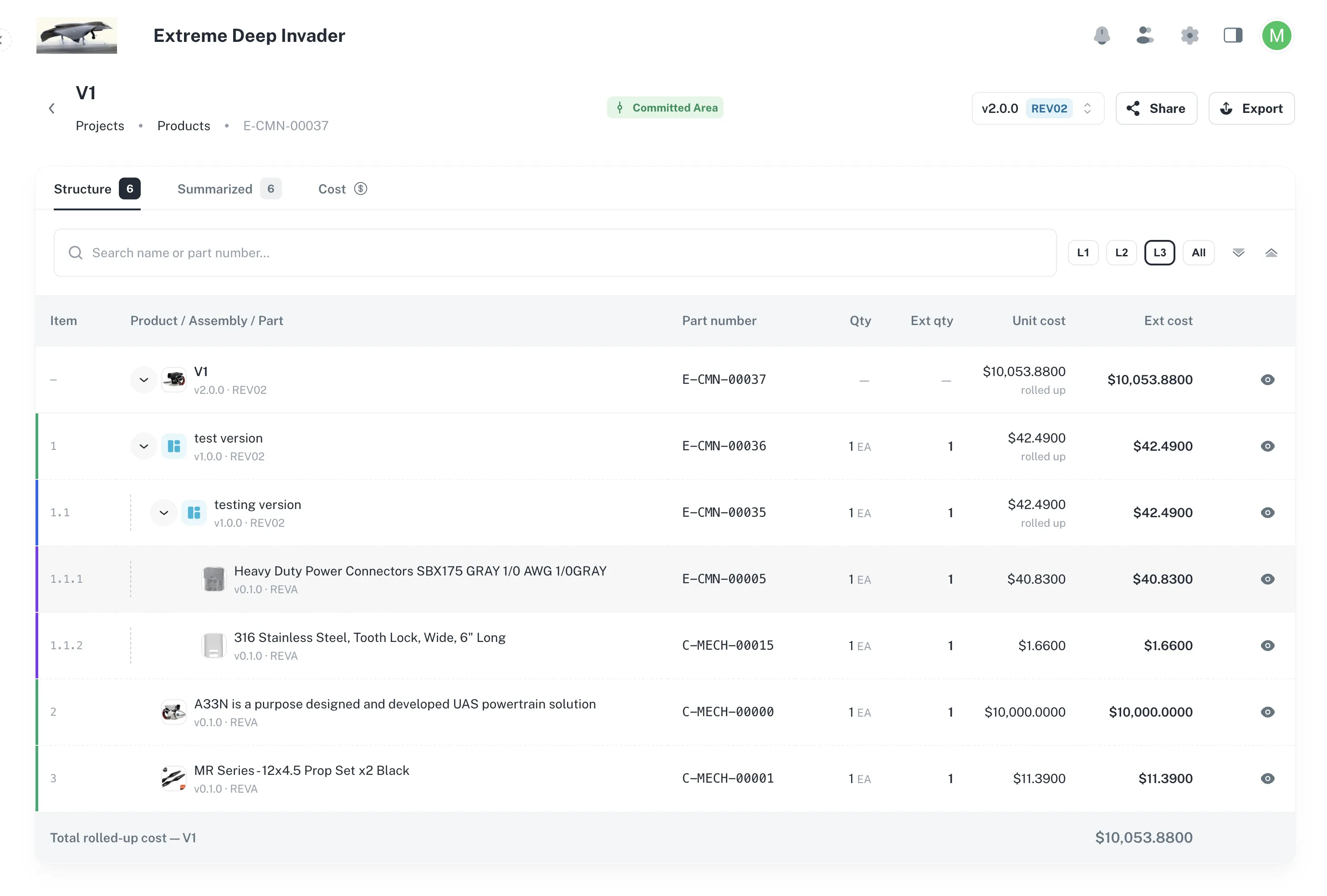
Partix stores every product as a multi-level structure of assemblies and parts, to any depth.
Most hardware BOM tools stop after a few levels. Partix treats depth as core data, so a wiring harness inside a door module inside a cabin assembly inside the vehicle is represented exactly as built.
Use this for
- Seeing how Partix represents complex hardware structures.
- Explaining to colleagues why items can be reused and shared across products.
- Understanding what the rest of the BOM views are built on.
One item, used in many places
- An assembly used by six products is one record, not six copies.
- Change its description once and all six products see the change.
- Ask where it is used and you get all six paths back.
- Order for a build and demand from all six products is added into one requirement.
Items used in more than one place are marked Shared wherever they appear.
Why this matters at scale
With copies, changing a common bracket means finding and editing every product that uses it, and hoping you found them all. With one shared record there is nothing to hunt for, and nothing to miss.
Lines point at an exact revision
- Every line in a BOM points at one specific revision of the item it calls for.
- When somebody later releases a newer revision of that item, your released BOM does not change.
- The BOM still says what it said on the day it was released.
Moving a line to a newer revision is always a decision you take in the Staging Area before the next commit.
Two areas: Staging and Committed
Every product has two views of its BOM.
| Area | What it is | Can you edit it? |
|---|---|---|
| Staging Area | The working draft. Where you add lines, change quantities and revise descriptions. | Yes |
| Committed Area | The released record. What was approved, and what purchasing and production work from. | No. It is a record. |
You build in the Staging Area, then commit to release. Committing is covered in How releases work.
What this lets you do
From the multi-level structure you can:
- Build a structure to any depth, and drag rows to rearrange it.
- See every distinct part number once, with total demand added up across the whole tree.
- See rolled-up cost at every level, and which parts drive it.
- Check stock against demand and spot shortages before you order.
- Release with a full review of what changes and why.
- Export to PDF, or send a read-only link to someone without a Partix account.