
Engineering
Link Onshape models to your BOMs, so what engineers build in CAD is what you buy, stock and build.
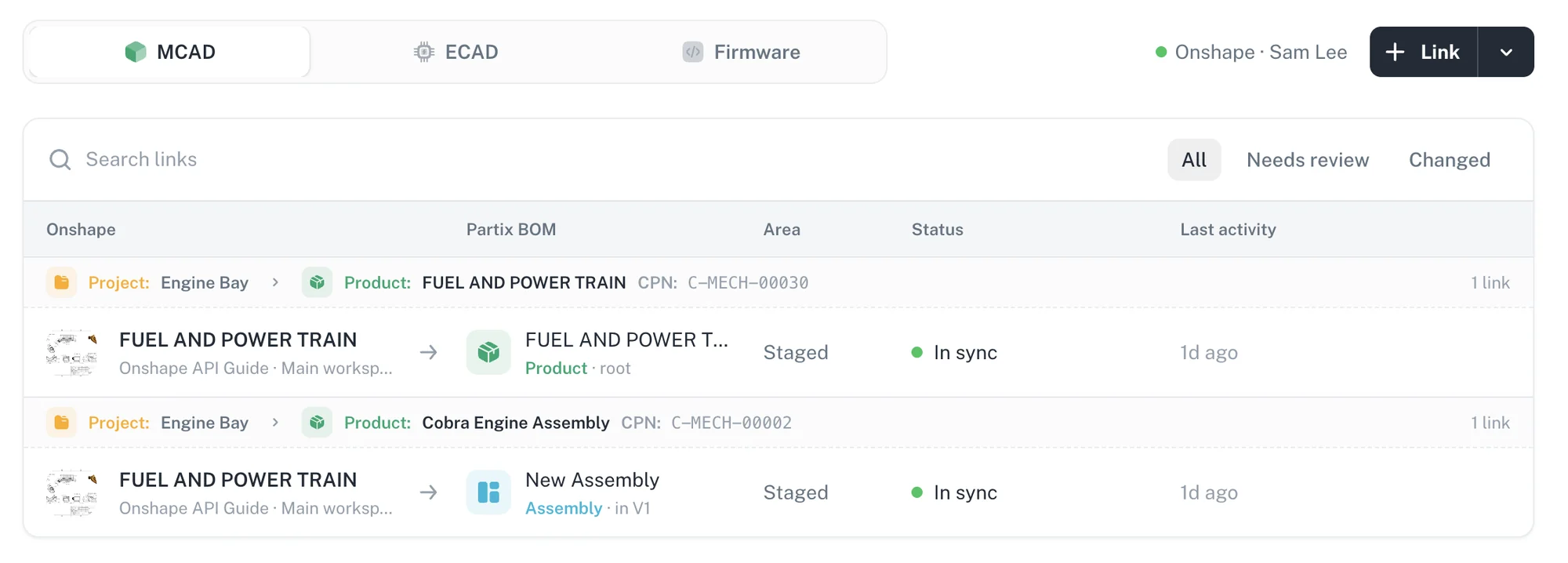
Open Engineering › MCAD. It lists every Onshape link in your company, grouped by project and product.
How it works
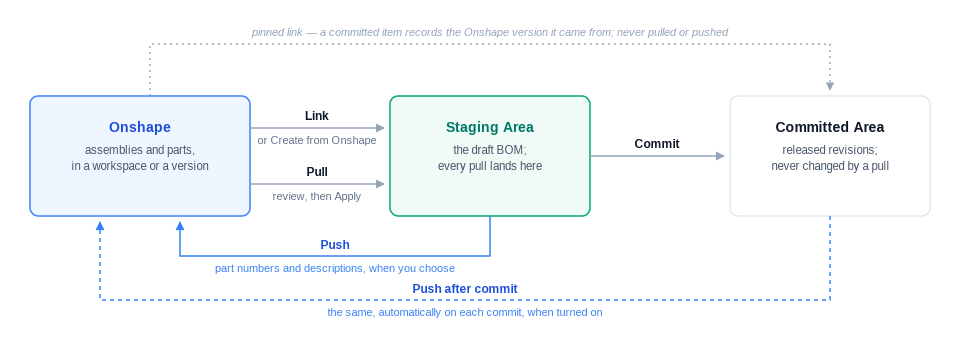
A link joins an Onshape assembly or part to an item in a Partix BOM. Then you can:
- Pull Onshape changes into the staged BOM, reviewing anything that differs.
- Push Partix part numbers and descriptions into Onshape.
- View in 3D without leaving Partix.
Everything runs through your own Onshape account, so Onshape records changes under your name.
The MCAD list
| Column | What it shows |
|---|---|
| Onshape | The assembly or part, its document and workspace or version |
| Partix BOM | The linked item, its type and where it sits |
| Area | Staged, Committed, or a pinned version |
| Status | See Link statuses |
| Last activity | Last pull, or when it was linked |
Search by name, document or CPN. Needs review and Changed show only links waiting on you.
Row actions
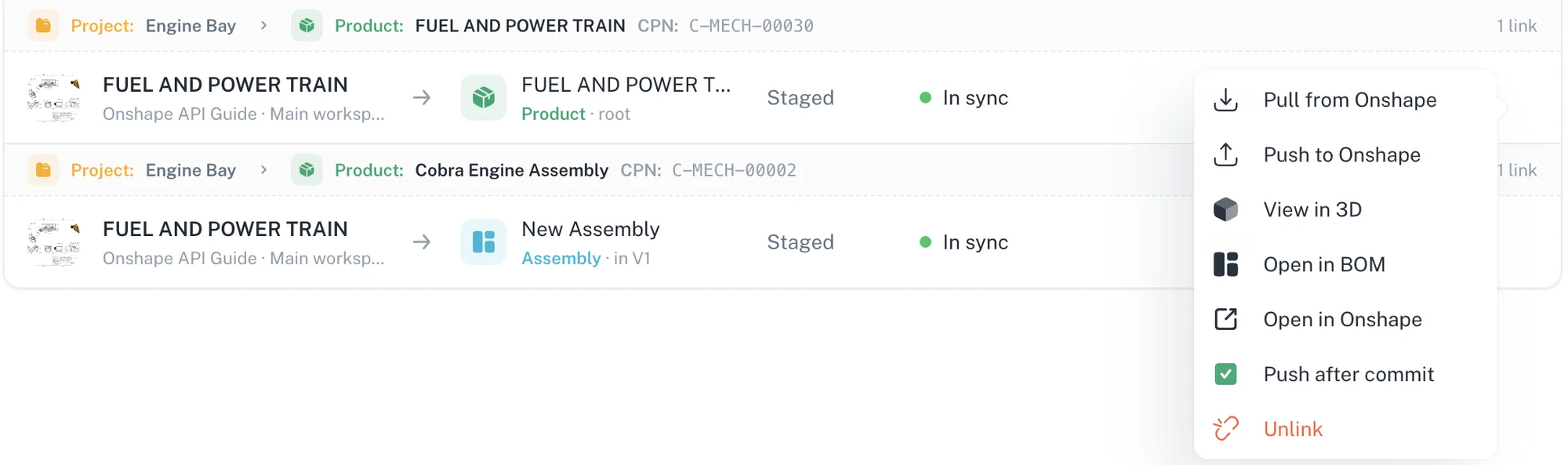
Hover a row for Pull and View in 3D. The ⋯ menu has the rest.
| Action | What it does |
|---|---|
| Pull from Onshape | See Pull from Onshape |
| Push to Onshape | See Push to Onshape |
| View in 3D | See View in 3D |
| Open in BOM | Opens the item's Engineering tab in its BOM |
| Open in Onshape | Opens the document in Onshape |
| Push after commit | Pushes part numbers each time the BOM is committed |
| Unlink | See Unlink |